A few of the bigger projects I've built.
Every screenshot below is the real app running.
NodeBook
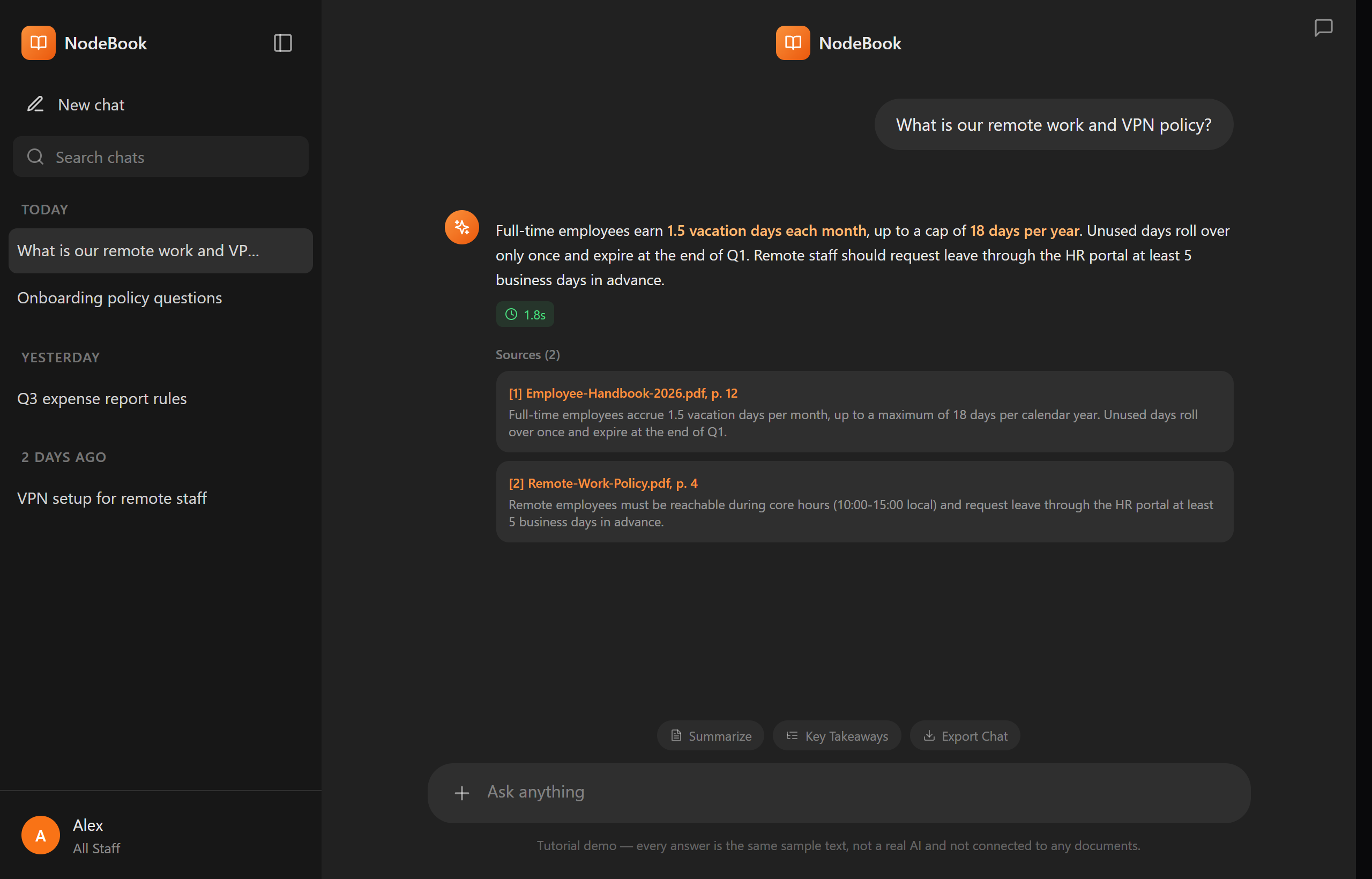
A private "chat with your documents" platform for a whole company, like NotebookLM, but it runs 100% offline on the local network, so no data ever leaves the building. People ask questions in plain language and get answers with the exact sources.
- Answers with citations: every reply links back to the exact document and page.
- Many ways to ask: Search, Summarise, Compare, Extract, and Define modes.
- Your files: drag-and-drop PDF, Word, and text; answers stream back live.
- Access layers & tags: role-based control, so each person only sees what they're allowed to.
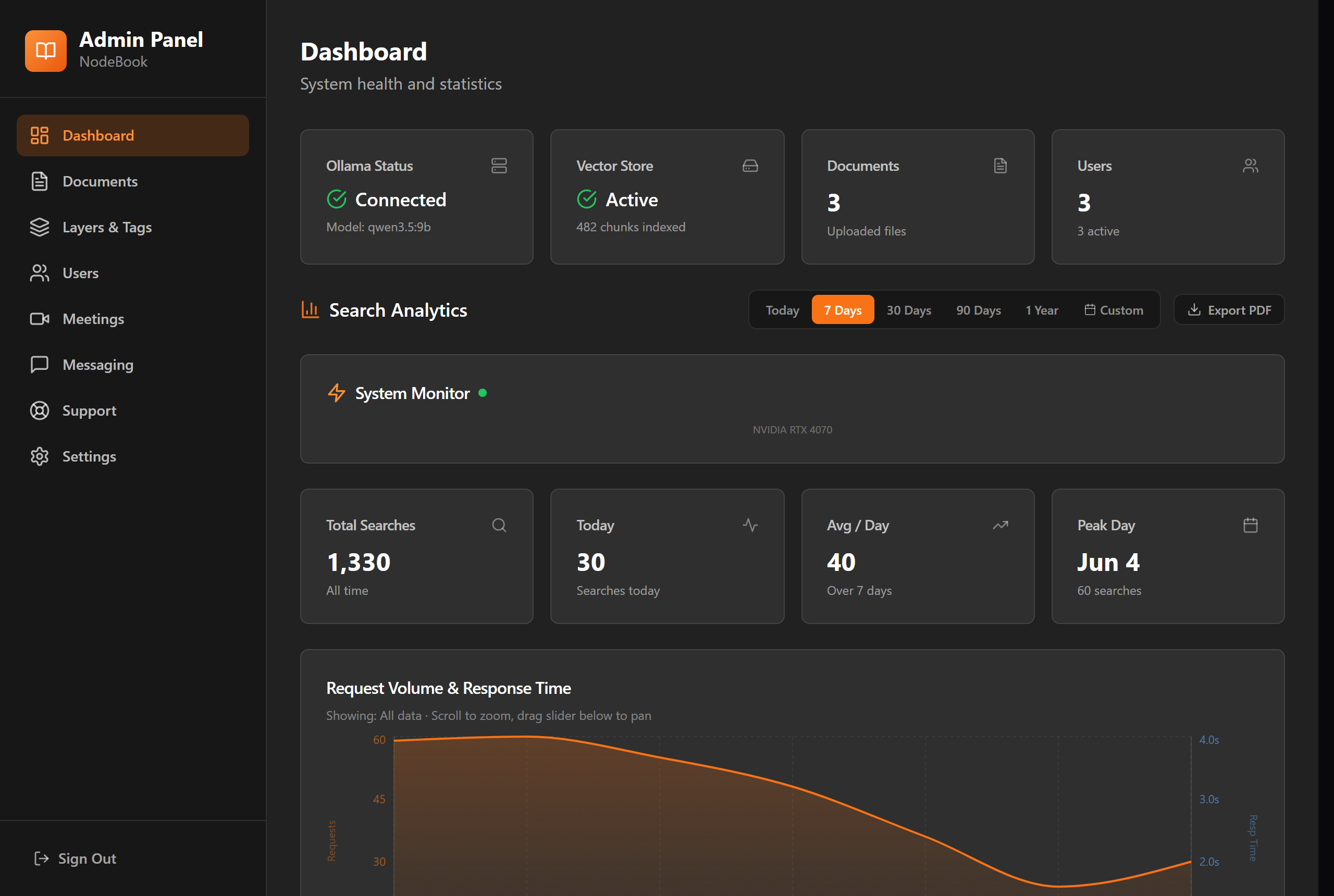
- Admin dashboard: users, documents, AI-model choice, and live search analytics.
- Meeting assistant, team messaging & a built-in tutorial so new people learn by doing.
3DP Ocean
A 3D-model marketplace where AI does the whole job for you. You just give it one thing (a single photo, a few photos, or even a few words) and it builds a full-colour, print-ready 3D model. No 3D skills needed.
- One simple input: a photo, a few angles, or a text description with a tiny AI Q&A to refine the idea.
- It makes the angles for you: in the background, AI cleans your photo into a studio shot and generates the missing front, side, back, and 3/4 views by itself.
- Smart auto-router: it works out the subject (object, animal, figure) and picks the best path automatically.
- Its own 3D Studio: edit the model right in the browser (no Blender) and remove bad parts, snap on better ones, then merge everything into one clean printable mesh.
- Print-ready: full colour, quality tiers, model scales for miniatures, and one-click part separation.
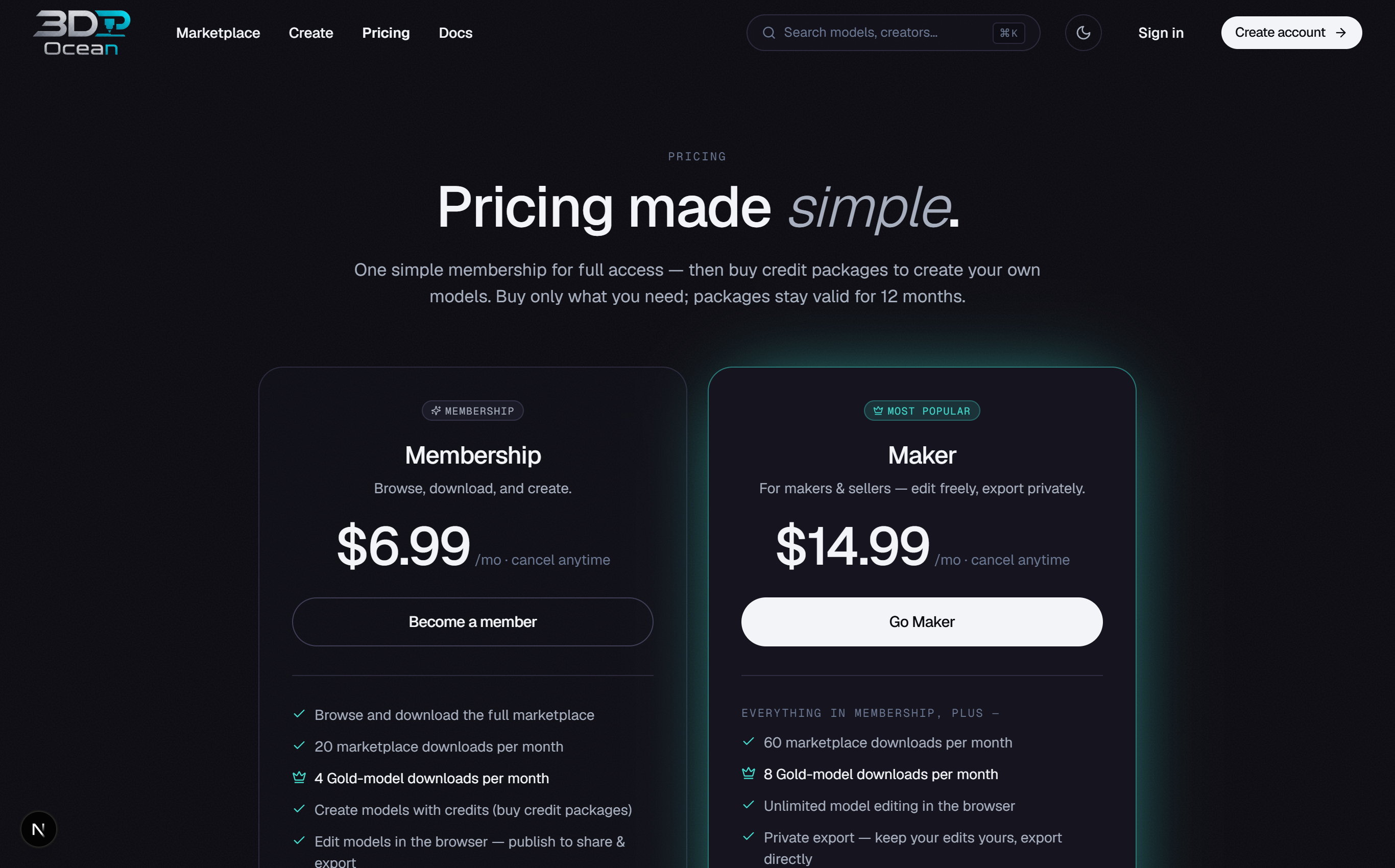
- A real product: accounts, credits, membership tiers, private models, and a voting-based marketplace.
TempoWhisper
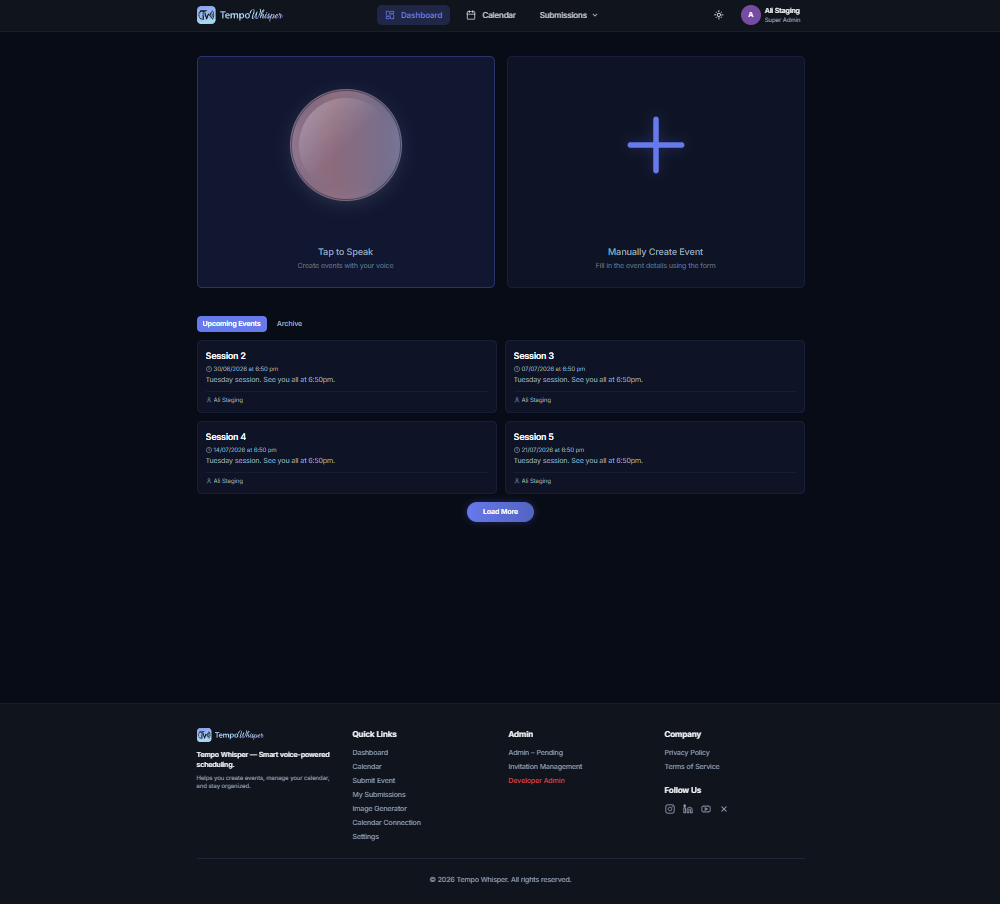
A full web and mobile app for running community events, built around your voice. Tap to speak, and it creates the event for you. Live online at tempowhisper.com.
- Voice-first scheduling: say it out loud and the event is made, with the date, time, and details filled in.
- Community calendar: browse, submit, and manage events; track your own submissions.
- Built-in image generation: make a poster image for any event in seconds.
- Google Calendar sync, email invites and reminders, and event approvals.
- Accounts & billing: Google / Microsoft sign-in, Stripe payments, and team workspaces.
- 16 languages: fully translated, on web and mobile.
Seminar Timeline
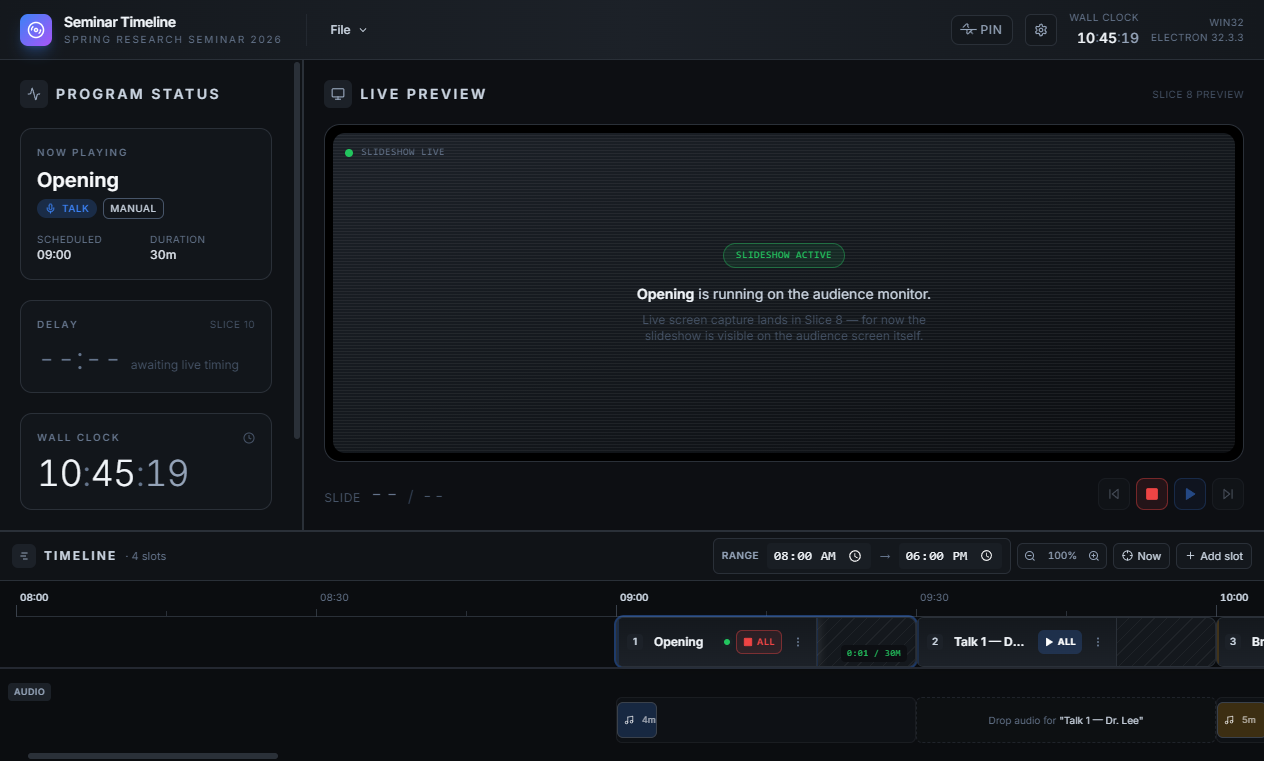
A desktop app that runs a whole live, multi-talk event from one timeline, across two screens, the kind of tool AV teams pay a lot for. The operator controls everything; the audience only ever sees a clean show.
- Two screens, one operator: the controls on the laptop, the slideshow on the audience monitor.
- Drag-and-drop timeline: build the day as slots (talk, break, intro, ad) with a PowerPoint and audio in each.
- One-click playback: launches PowerPoint fullscreen, starts the audio, and gives Play / Pause / Next / Back / End.
- Live preview of exactly what the audience sees, with delay tracking so the event stays on time.
- Breaks done right: break images, background music, and countdowns between talks.
- Never a black box: every file is saved on disk, so nothing is ever lost, even if the app closes.